EvaluationBeta
The most to pay, before the auction ends.
Send the auction page with the Carvolio evaluation extension. The disclosures, the Carfax and the condition photos are read for you and compared with what’s for sale near you.
Evaluation is in beta: the results are a starting point, check them before you bid.
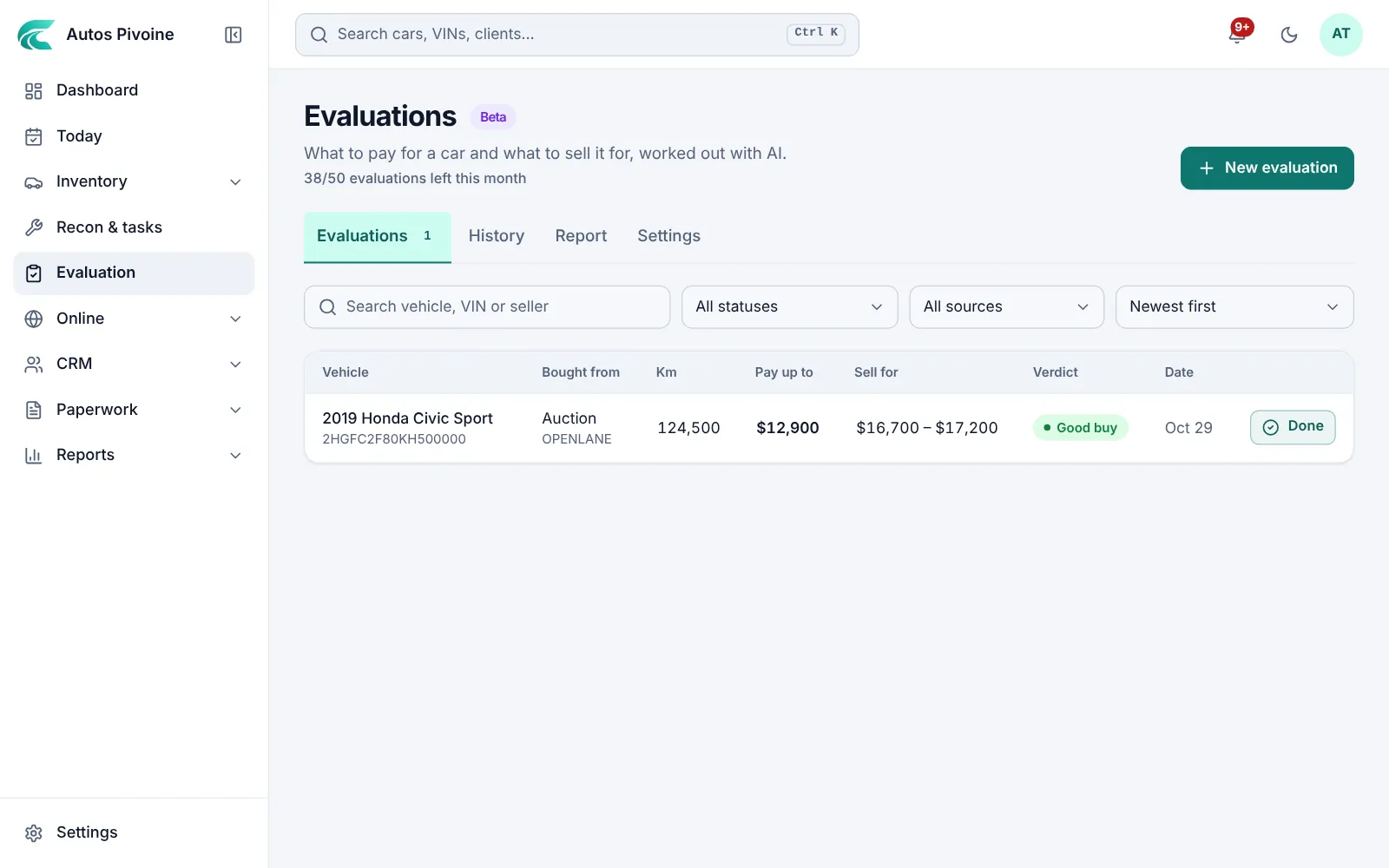
Bid up to
$12,900
2019 Honda Civic Sport
Send a car from the auction
On the auction page, click Evaluate in the extension. The VIN, kilometres, seller notes, Q&A and condition photos come with it, and the Carfax is opened and read.
Why it helps
No more copying between five tabs. Disclosures hidden in the Q&A are read too.
How to use it
- Install the Carvolio evaluation extension and sign in.
- Open the car’s auction page and click Evaluate.
- Pick the transport place; your saved price fills in.
Professional and Elite plans.
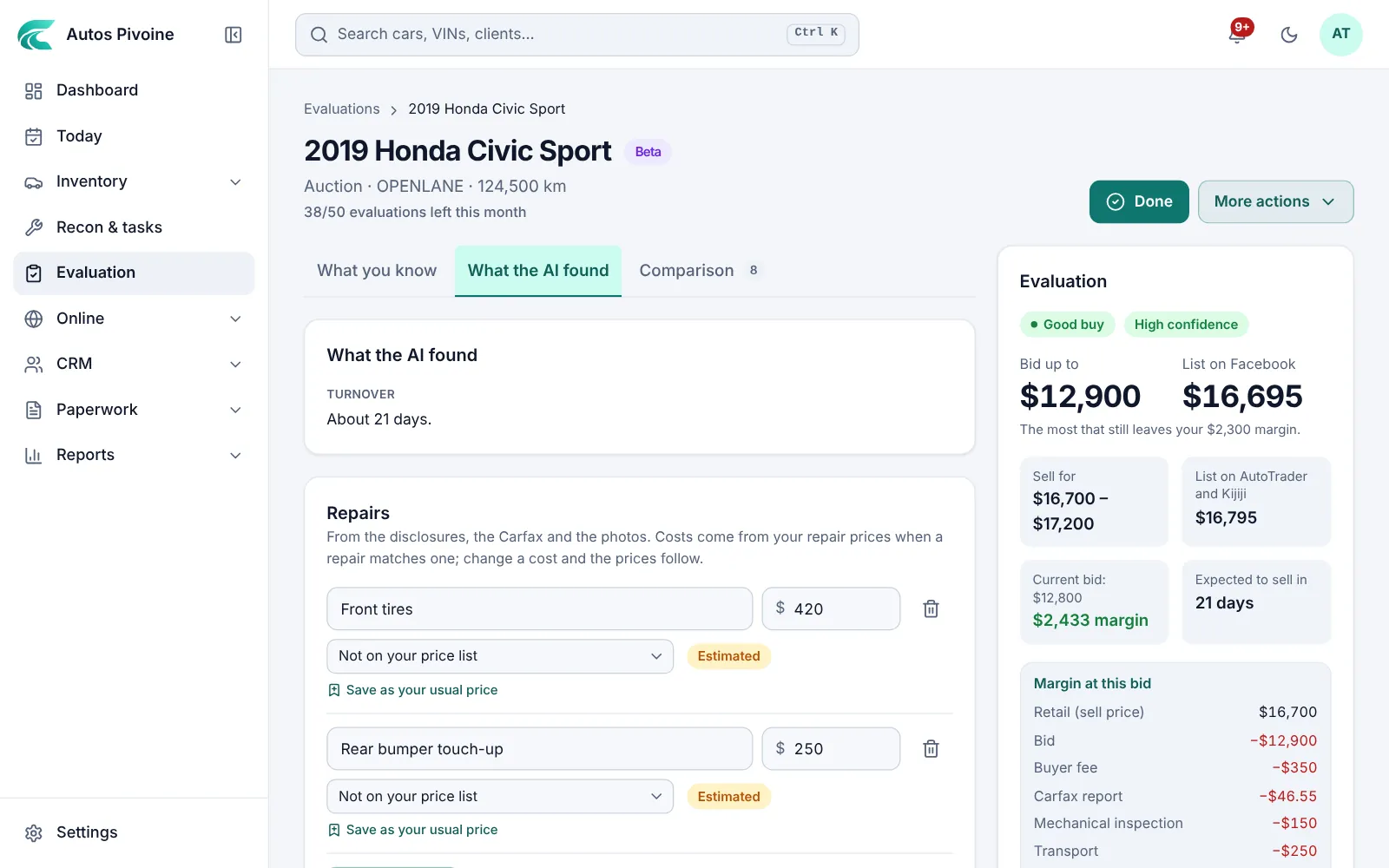
Compared with the market
Carvolio looks for similar vehicles listed near you, Facebook Marketplace included, and reads their prices and kilometres.
Why it helps
Your resale price comes from what’s really for sale, not a book value.
How to use it
- Let the search run while you read the file.
- Remove a listing that isn’t comparable.
- Click Evaluate to get the numbers.
Professional and Elite plans.
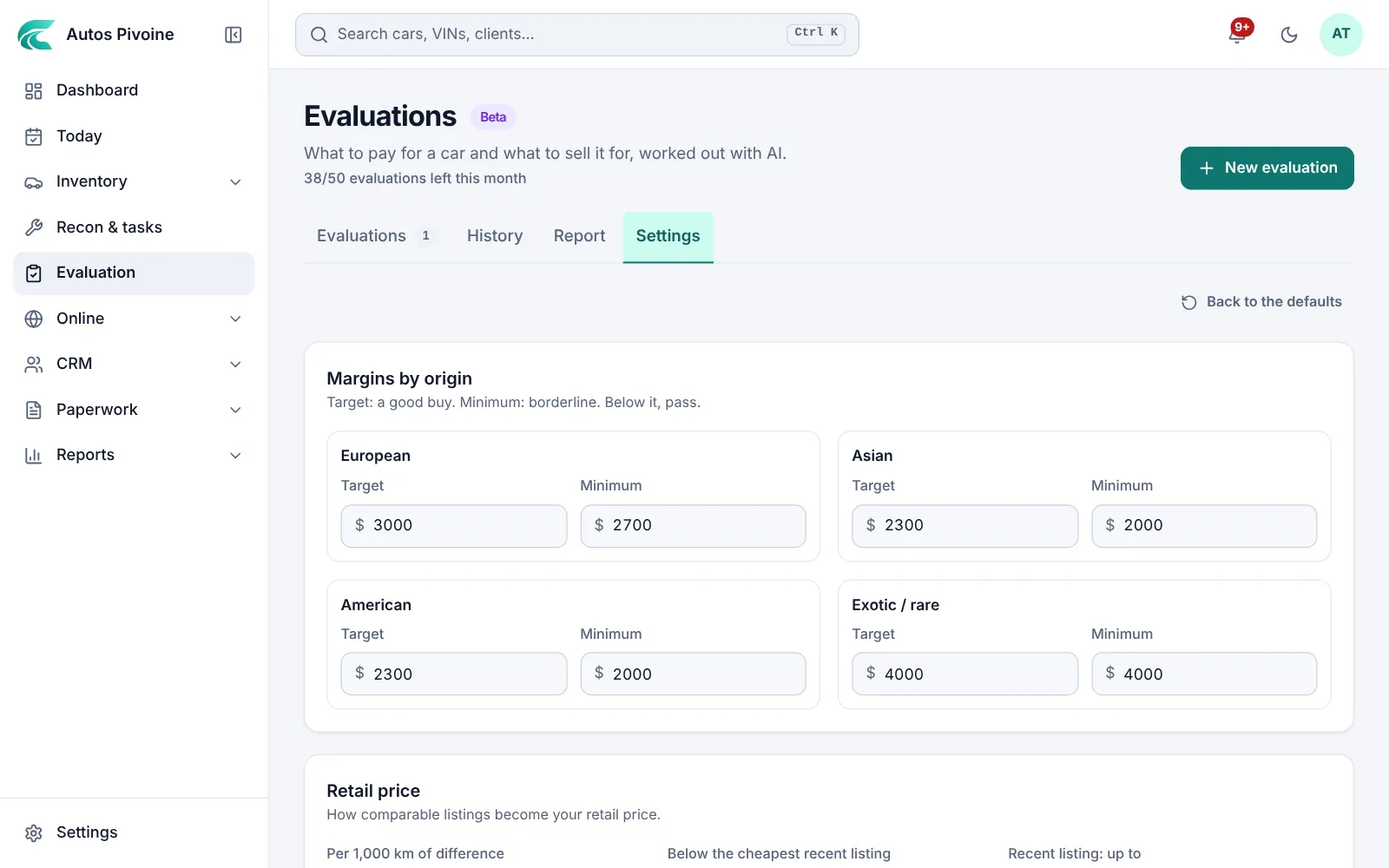
Your rules
Set your margin for Asian, European and North American makes, your adjustment per 1,000 km and your transport prices by place.
Why it helps
The number reflects how you buy, not someone else’s average.
How to use it
- Open Evaluation › Settings.
- Set the margins by origin and the kilometre adjustment.
- Save the transport prices for the places you buy from.
Professional and Elite plans.