Paperwork
Every step of the deal, with the right taxes.
From the estimate to after the sale: bills of sale that sign online, deposits and payments, a manager’s OK when it counts, the delivery checklist and the financing files.
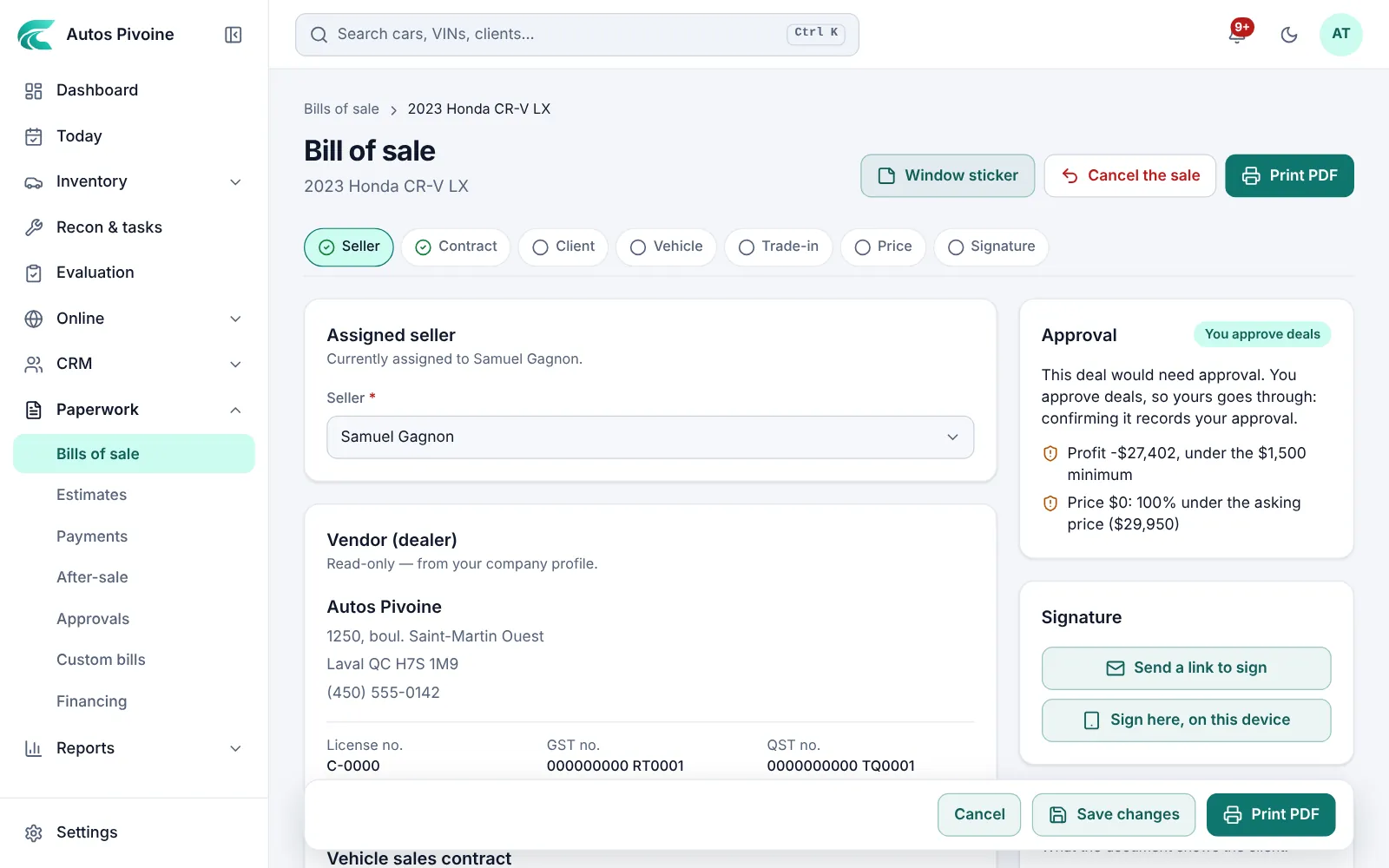
Total with GST and QST
$38,459.14
2020 BMW 330i
Bill of sale
Pick the province; GST, HST, QST or PST apply, with the trade-in, warranty, fees and deposit. Two pages, in French or English.
Why it helps
No calculator next to a carbon form, and the sale is recorded in Carvolio.
How to use it
- Open the car and choose Bill of sale.
- Choose the client, the salesperson and the prices.
- Confirm the sale, then print it or send it to sign.
Included in every plan.
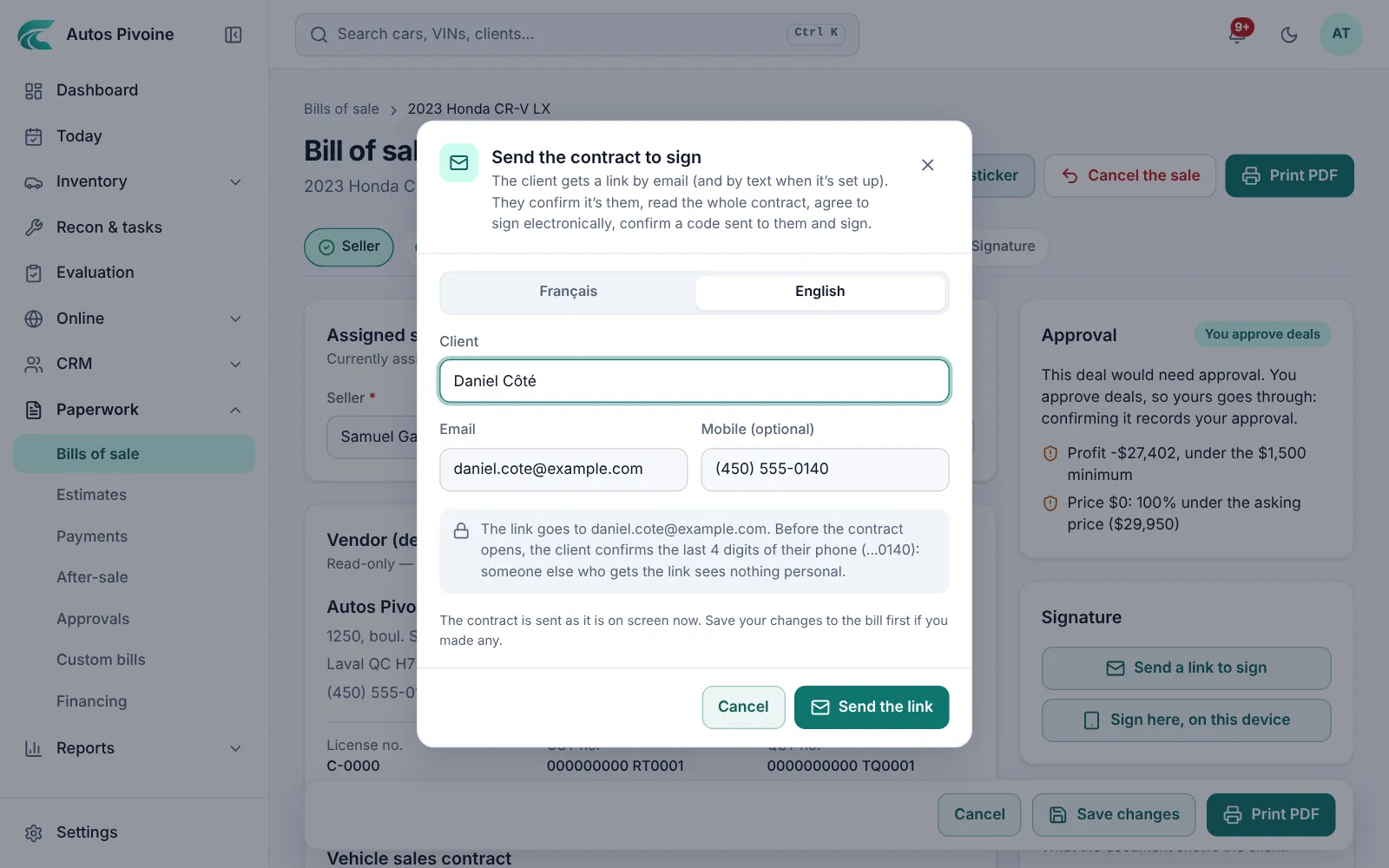
Sign onlineNew
The client gets a link by email or text, confirms a code and signs on their phone. Or they sign on your tablet at the dealership.
Why it helps
No trip just to sign, and the signed contract is saved on the car with a record of how it was signed.
How to use it
- Confirm the sale on the bill of sale.
- Choose Send the contract to sign, or Sign here, on this device.
- Sign as the dealer when they’re done; the signed copy stays on the car.
Included in every plan.
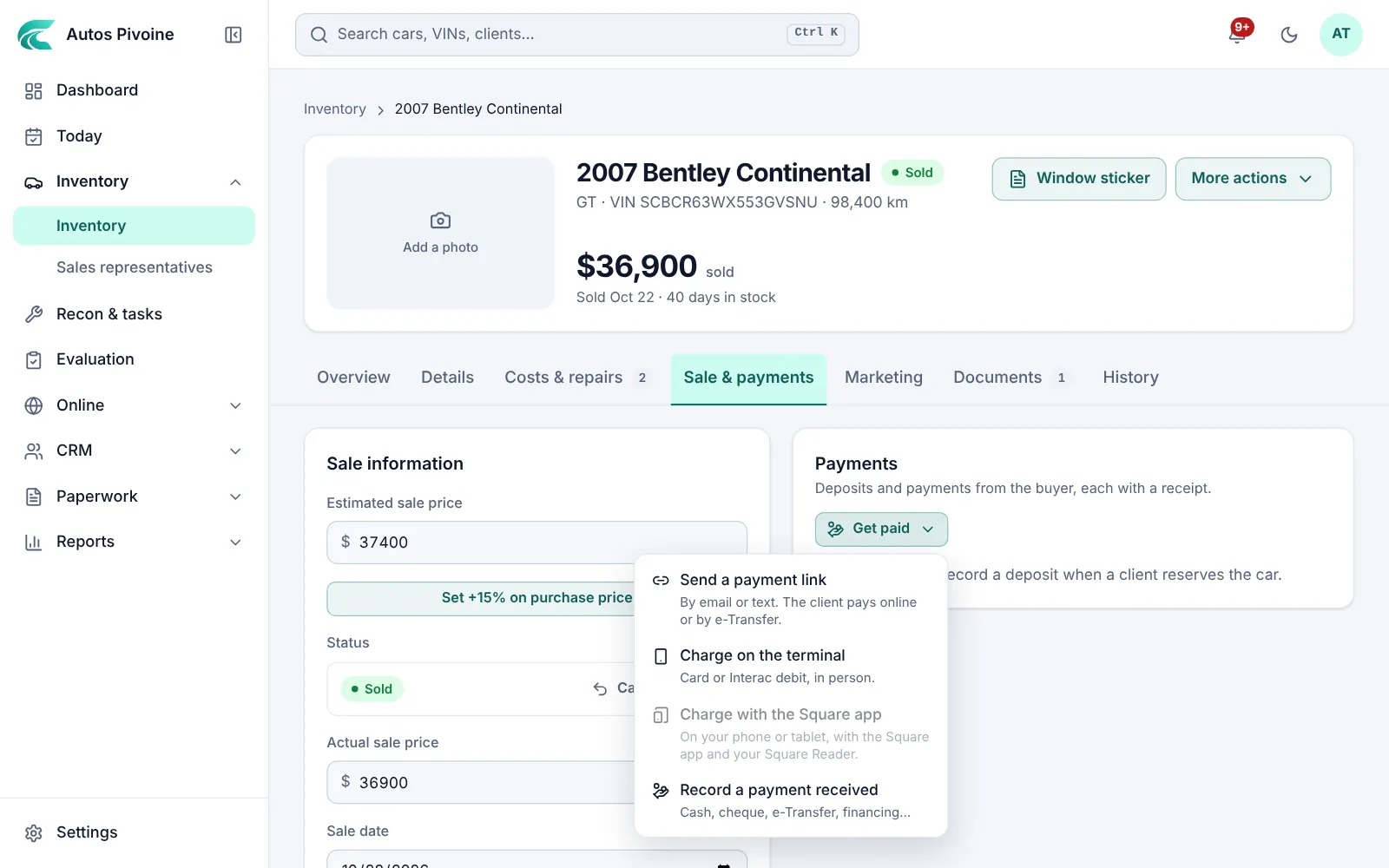
Deposits and paymentsNew
Ask for a deposit or the balance with a link, by card or Interac e-Transfer, or charge it on a card reader. Clients can also reserve a car with a deposit from its shared link.
Why it helps
The money goes to your own Stripe or Square account, and every payment is recorded on the deal with its receipt.
How to use it
- Connect Stripe or Square in Settings › Payments.
- On the car’s Sale tab, choose Get paid: a link, the card reader or a payment you received.
- See what’s owed and what came in under Paperwork › Payments.
Included in every plan.
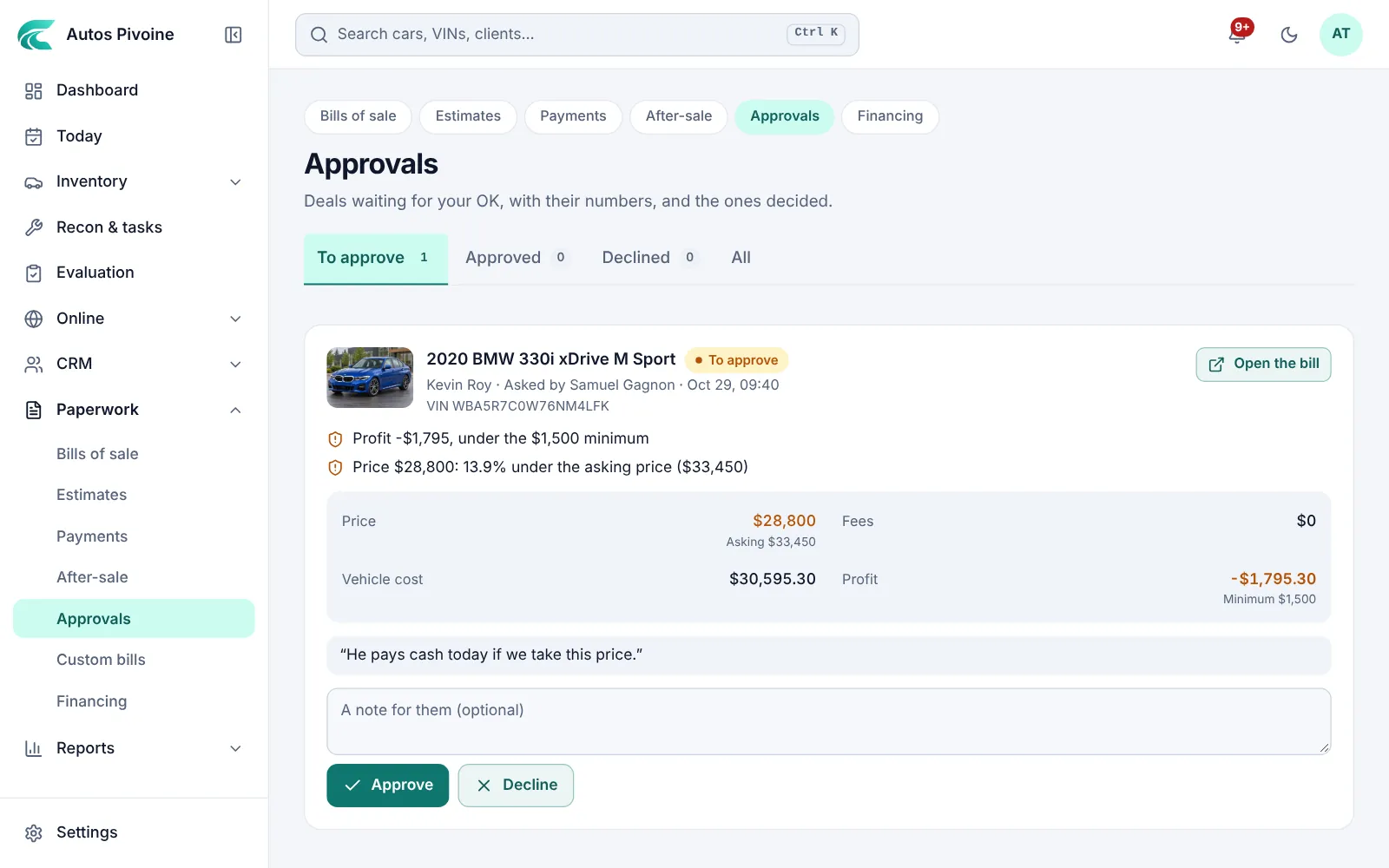
Deal approvalsNew
A sale under your minimum profit, or too far under the asking price, waits for a manager’s OK before it’s confirmed or sent to sign.
Why it helps
You set the rules once. No deal leaves below your line without someone deciding.
How to use it
- Turn approvals on in Settings › Bills and set your limits.
- The salesperson asks for approval from the bill of sale.
- A manager approves or declines in Paperwork › Approvals, with the numbers in front of them.
Included in every plan.
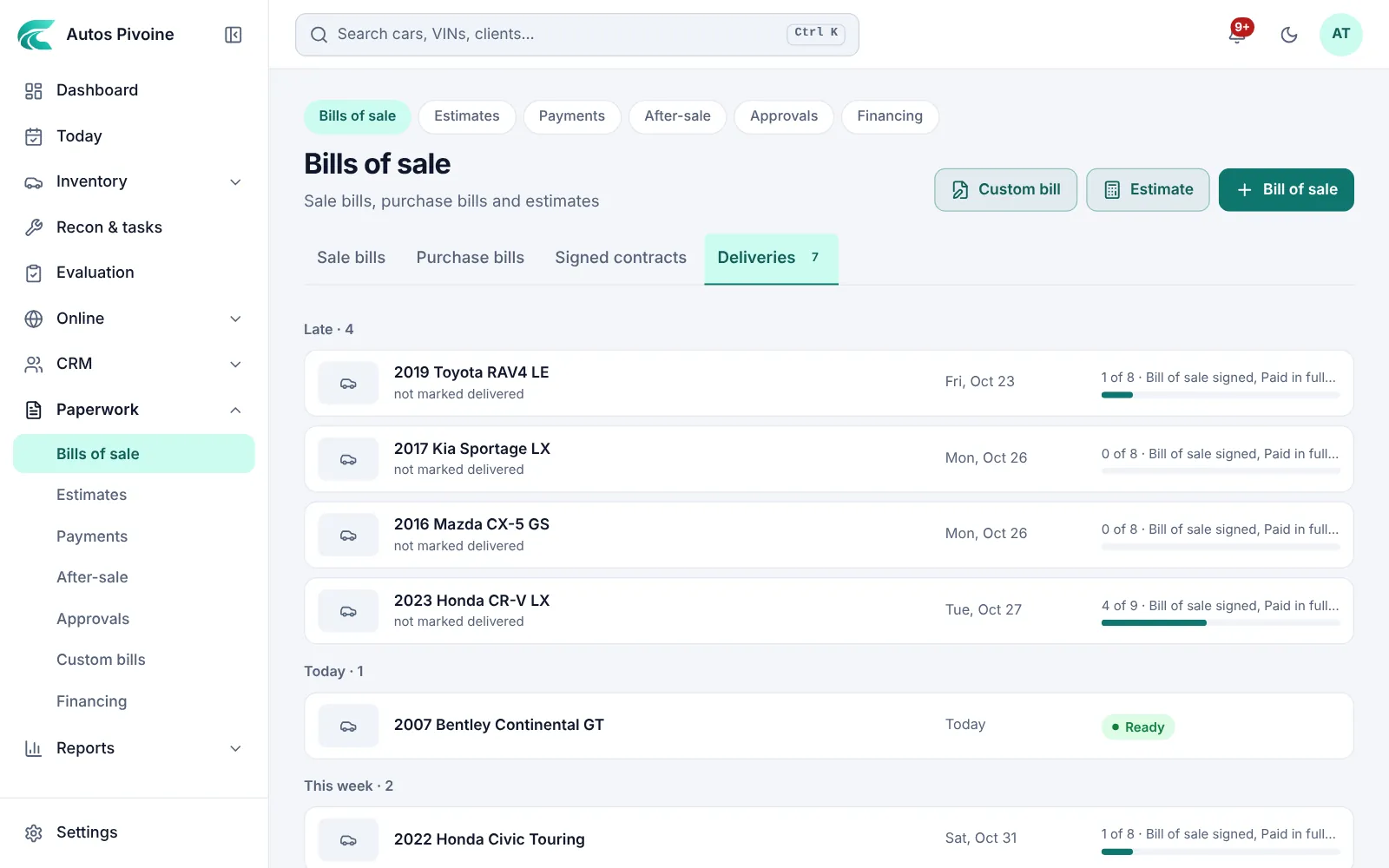
Delivery checklistNew
Plates, insurance, payment, signature and detailing, ticked off before the buyer drives away, with every upcoming delivery in one list.
How to use it
- Set your checklist in Settings › Bills.
- Put the delivery date on the sold car.
- Tick each item on the car, or in Bills of sale › Deliveries.
Included in every plan.
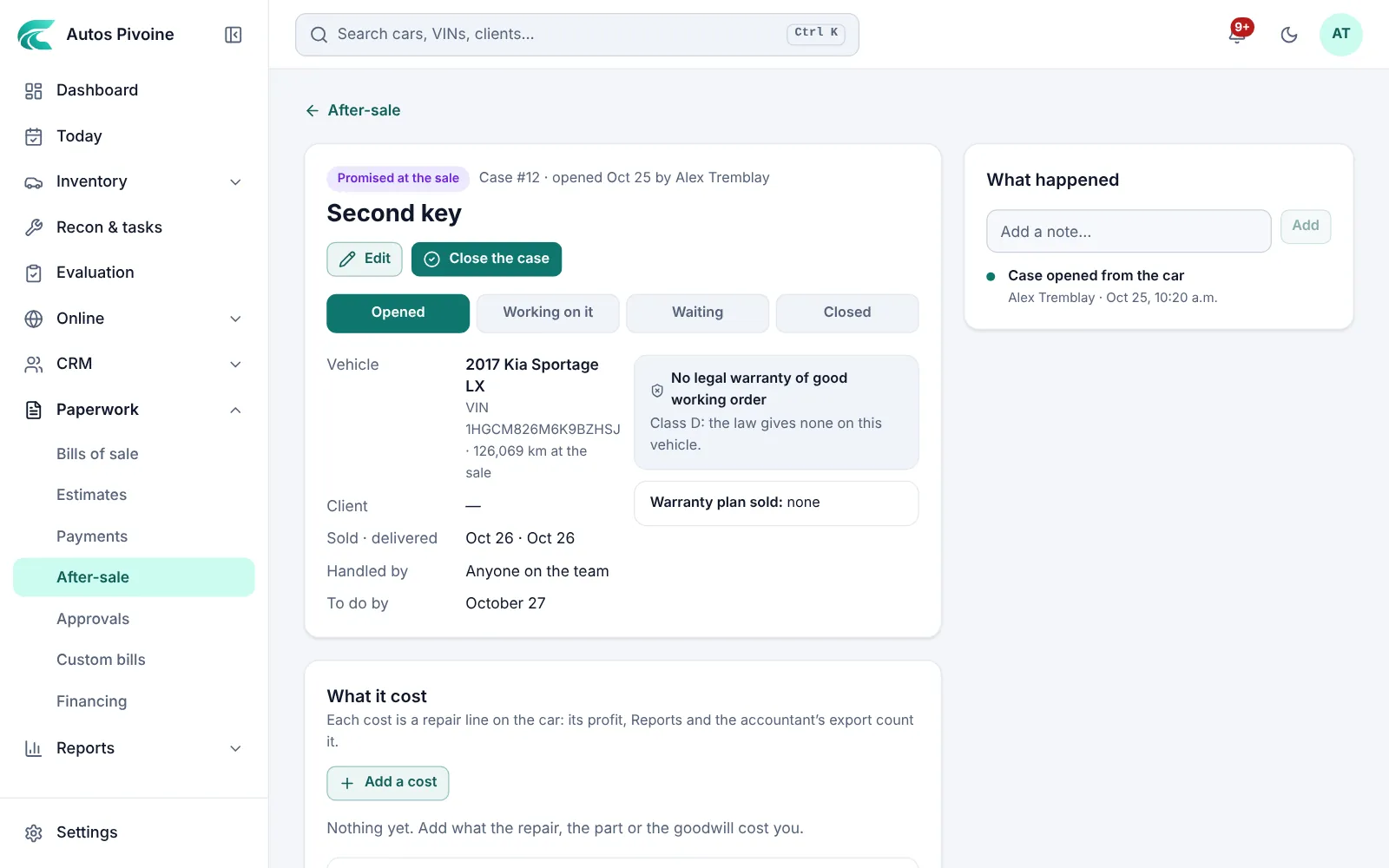
After-saleNew
What clients come back with: a repair, something promised at the sale, paperwork or a complaint. Each case has who handles it, what it cost and when it’s due.
Why it helps
Nothing promised gets forgotten, and the cost comes off the car’s profit (and the commission, within 30 days of the sale).
How to use it
- Open a case from the car, the client or Paperwork › After-sale.
- Add the costs and notes as it goes.
- Close it with what happened; the client’s history keeps it.
Included in every plan.
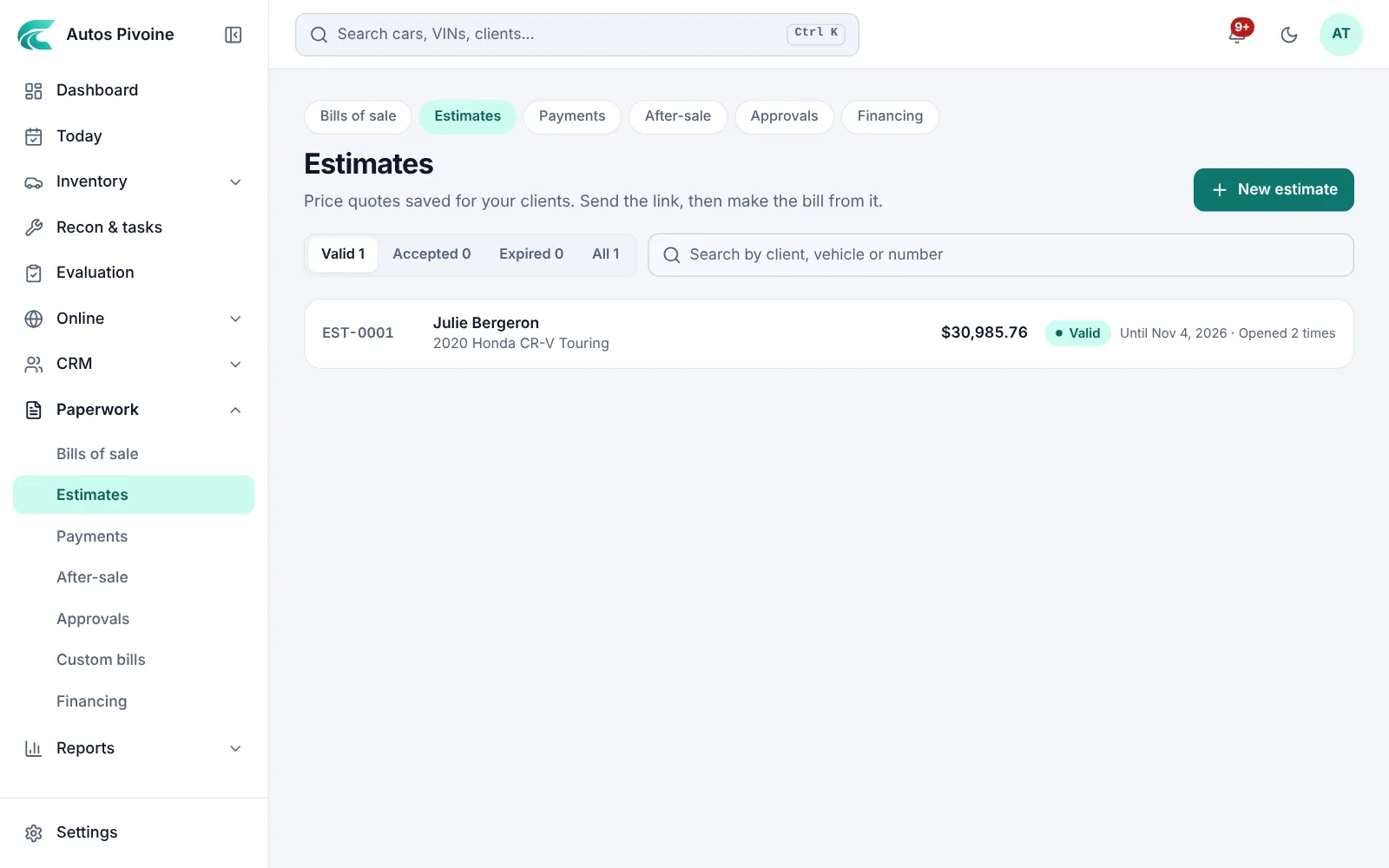
Estimates with a linkNew
Price a car with its taxes, fees and trade-in, then send the client a link to open it on their phone. Turn it into the bill of sale in one click.
How to use it
- Open Paperwork › Estimates and start a new estimate.
- Pick the car and the client, then the amounts.
- Send the link; when they say yes, make the bill from it.
Professional and Elite plans.
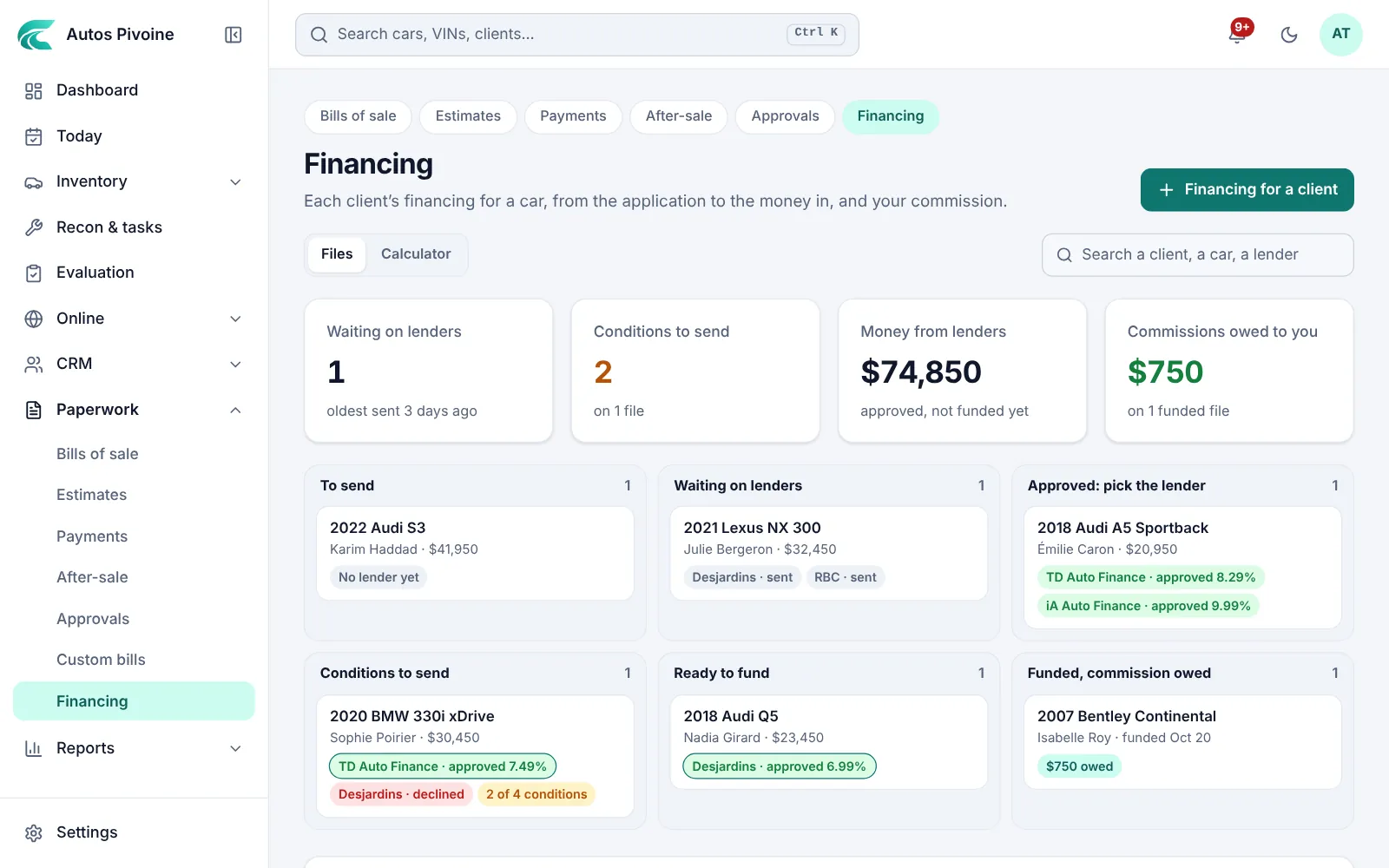
Financing filesNew
Pre-approvals for a car: send the file to your lenders, record each answer and its conditions, pick one, mark it funded and follow your commission. The payment calculator is right beside it.
Why it helps
You see at a glance which files wait on a lender, which need papers and which commissions are still owed.
How to use it
- Open Paperwork › Financing and choose Financing for a client.
- Pick the client and the car, then the lenders to send it to.
- Record their answers, tick the conditions as you send them and mark it funded.
Professional and Elite plans.
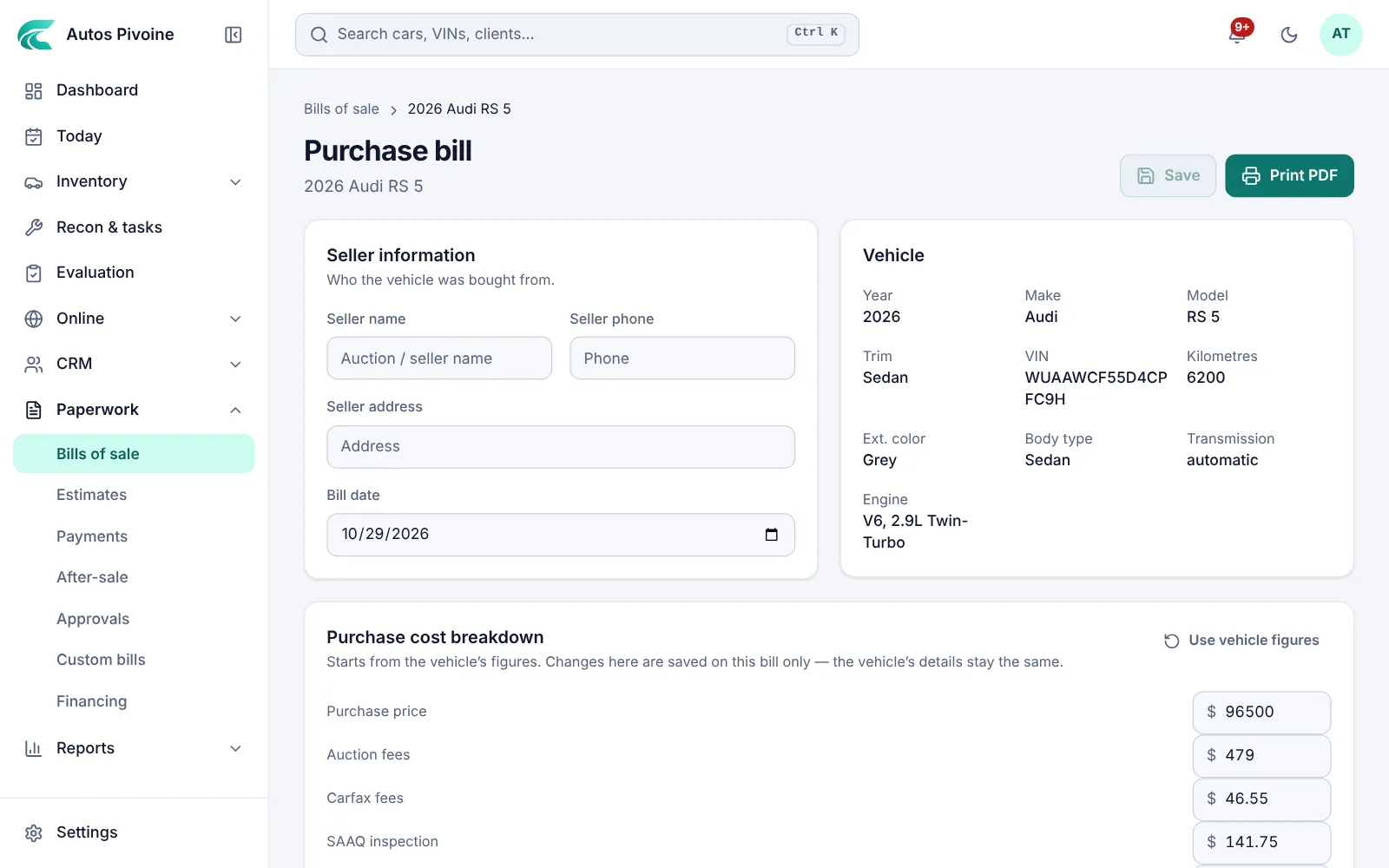
Purchase bill
When you buy from a private seller or take a trade-in, print a purchase bill with the seller’s details.
Why it helps
Proof of where each car came from, kept on its file.
How to use it
- Open Paperwork › Bills of sale and choose Purchase bills.
- Open the car’s purchase bill and enter the seller.
- Print it and have it signed.
Included in every plan.
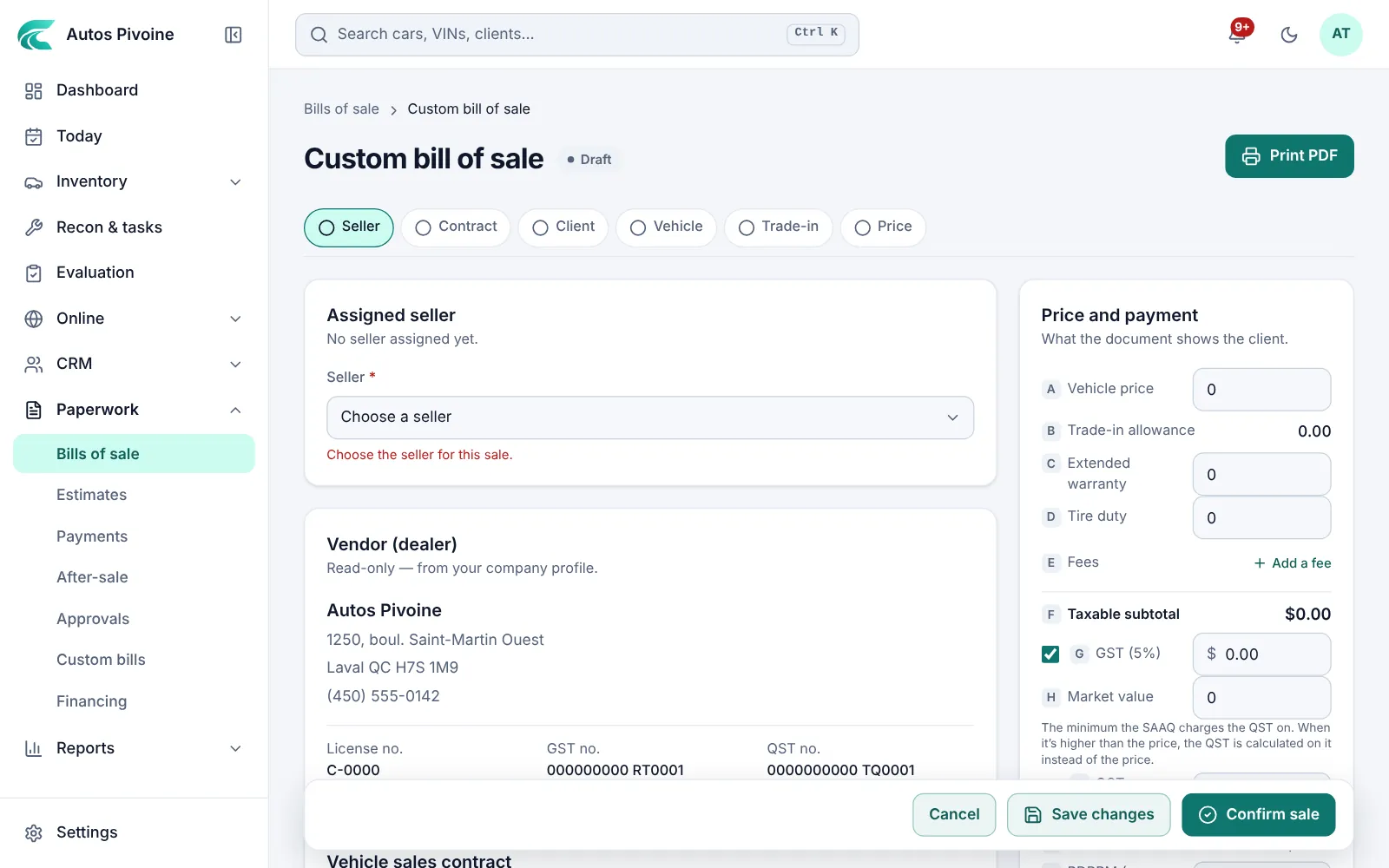
Custom bills
A bill of sale or purchase bill for a vehicle that isn’t in your inventory.
How to use it
- Open Paperwork › Bills of sale and choose Custom bill.
- Enter the vehicle, the client and the amounts.
- Print it; taxes work the same as on a bill of sale.
Included in every plan.