Reports & finances
Your numbers, without a spreadsheet.
What needs you today, then sales, profit, inventory, purchases, expenses, salespeople, leads and taxes, and an income statement that counts rent, insurance and salaries.
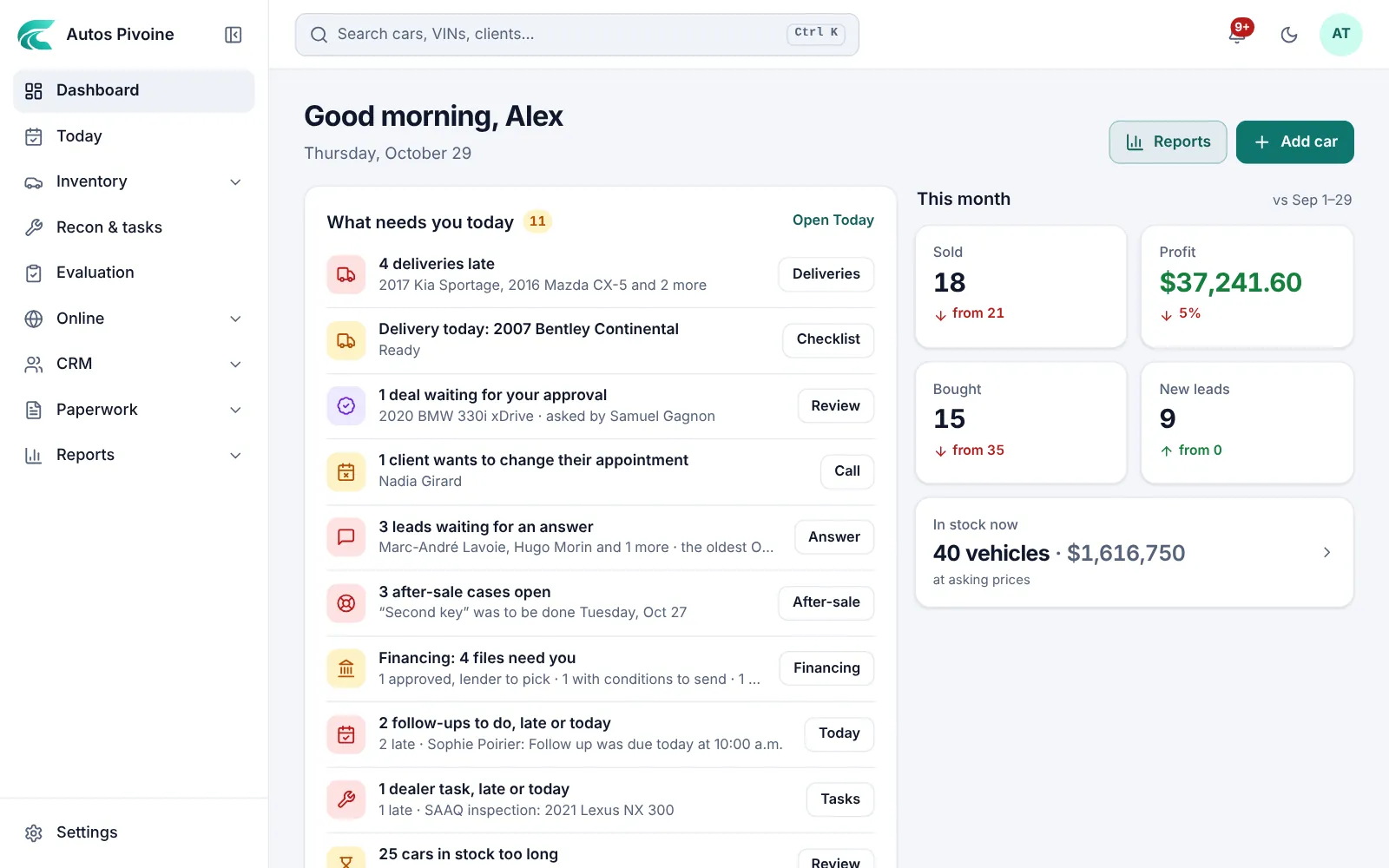
Profit this month
$37,812
18 vehicles sold
DashboardNew
What needs you today first: late deliveries, deals to approve, leads to answer, balances to collect, financing files. Then this month against the same days of last month.
How to use it
- Open Dashboard.
- Start with What needs you today; each line takes you there.
- Compare this month with last month, then your stock and your sales.
Included in every plan.
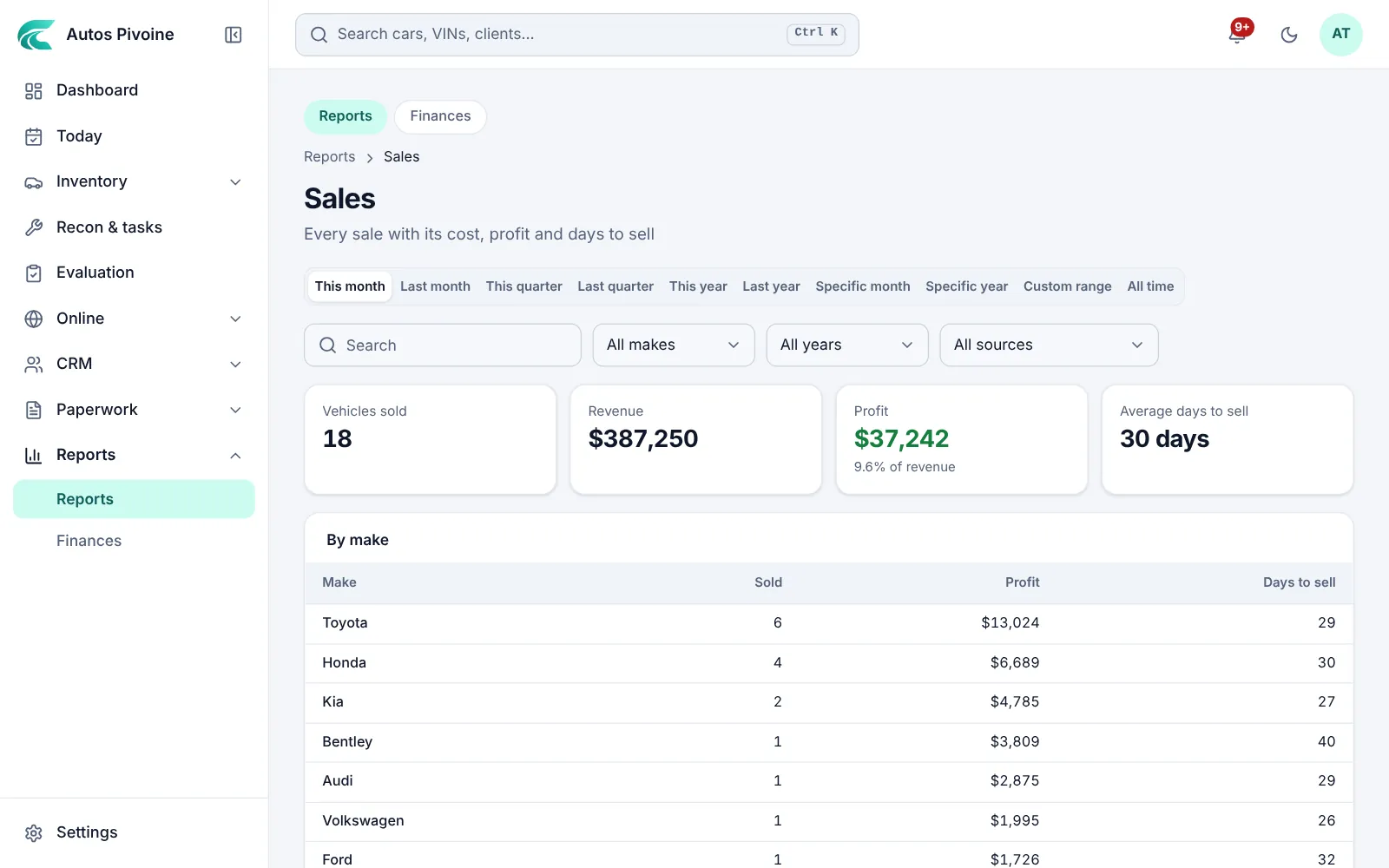
ReportsNew
Seven full reports: inventory value, purchases, sales, expenses and repairs, leads, salespeople and commissions, and taxes. Each one can be searched, filtered, sorted, exported to Excel and printed.
Why it helps
You see what sells fast and what makes money, so you buy better at the auction.
How to use it
- Open Reports and pick a report.
- Choose the period and filter by make, salesperson or status.
- Export it to Excel or print it for your accountant.
Professional and Elite plans.
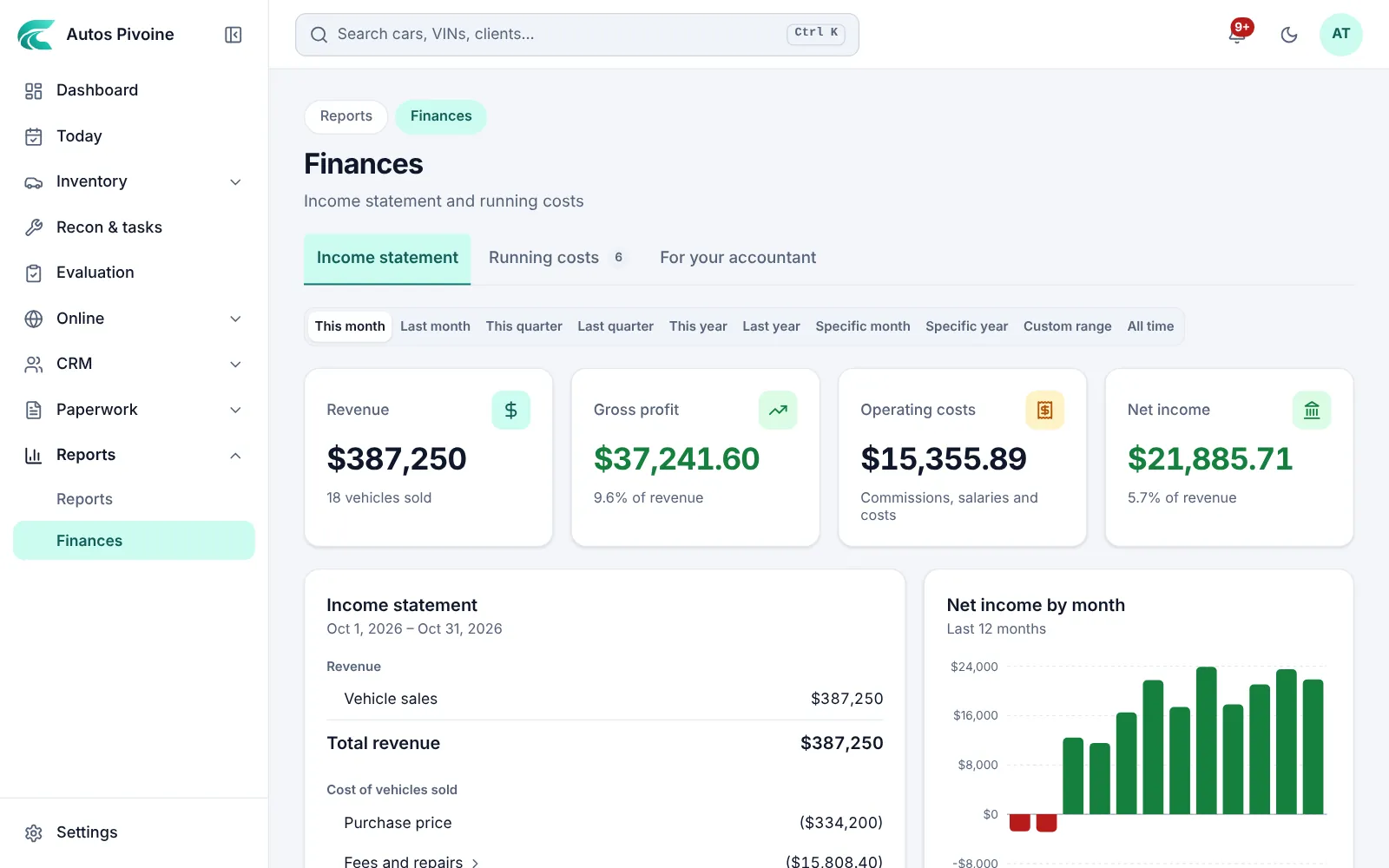
Income statement
Sales, vehicle costs, salaries, commissions and your running costs for any period, with the real net income.
Why it helps
Profit on cars doesn’t pay the rent by itself. Here you see what’s really left.
How to use it
- Open Reports › Finances.
- Add your running costs once: rent, insurance, software.
- Pick a period; the statement is built for you.
Professional and Elite plans.